
A light weight gauge view written in SwiftUI.
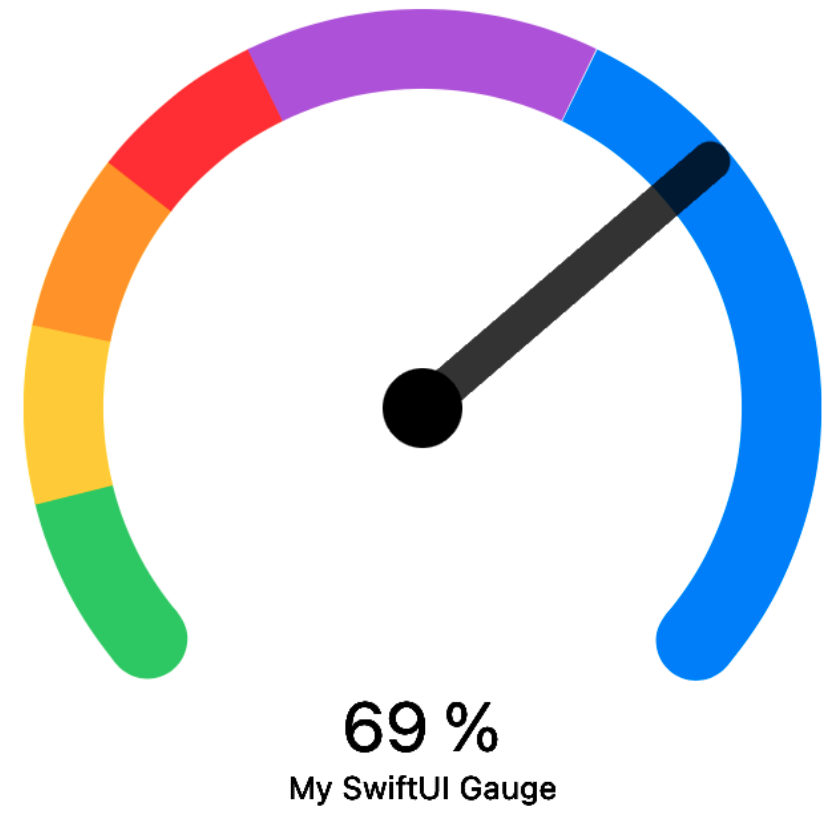
Xcode 11 and iOS 13 is required.
- Xcode: File -> Swift Packages -> Add Package Dependenc
- Paste https://github.com/honkmaster/TTGaugeView
Drag TTGaugeView.swift into your project.
Import the TTGaugeView in the file you would like to use it:
import TTGaugeViewlet angle: Double = 260.0
let sections: [TTGaugeViewSection] = [TTGaugeViewSection(color: .green, size: 0.1),
TTGaugeViewSection(color: .yellow, size: 0.1),
TTGaugeViewSection(color: .orange, size: 0.1),
TTGaugeViewSection(color: .red, size: 0.1),
TTGaugeViewSection(color: .purple, size: 0.2),
TTGaugeViewSection(color: .blue, size: 0.4)]
let valueDescription = "\(Int(value * 100)) %"
let gaugeDescription = "My SwiftUI Gauge"
TTGaugeView(angle: angle, sections: sections, value: value, valueDescription: valueDescription, gaugeDescription: gaugeDescription)If you have feature requests or bug reports, feel free to help out by sending pull requests or by creating new issues. Please take a moment to review the guidelines written by Nicolas Gallagher:
TTGaugeView is distributed under the terms and conditions of the MIT license.
TTGaugeView is brought to you by Tobias Tiemerding. If you're using TTGaugeView in your project, attribution would be very appreciated.