


Based on ImageListPreference guide at :
'http://www.cmwmobile.com/index.php?option=com_content&view=article&id=4&Itemid=12' .
ImageListPreference class by Arnab Jain. Created for Proficient Apps.
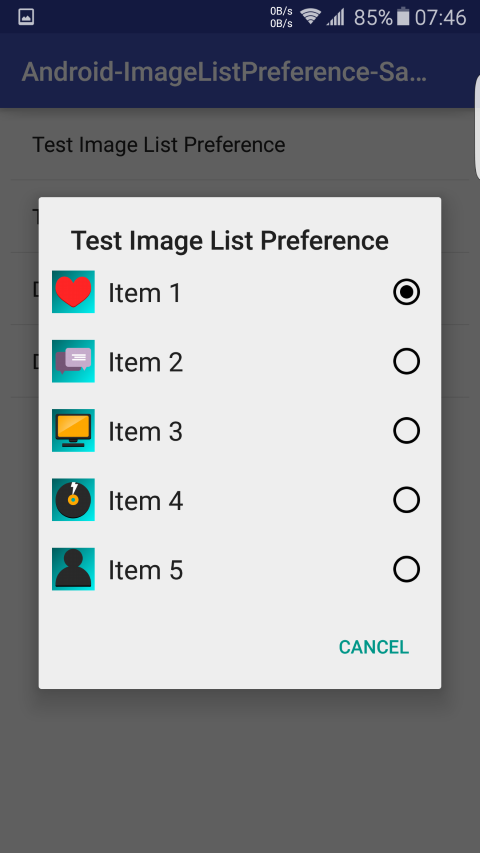
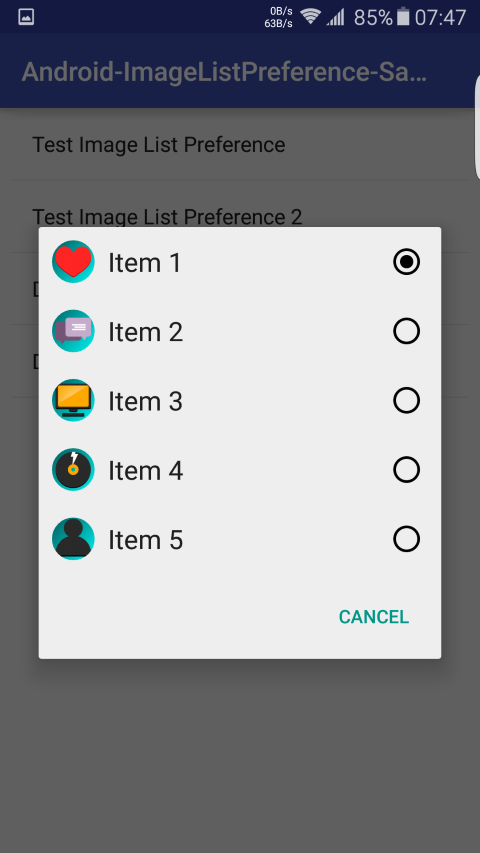
- Image/Icon for each list item
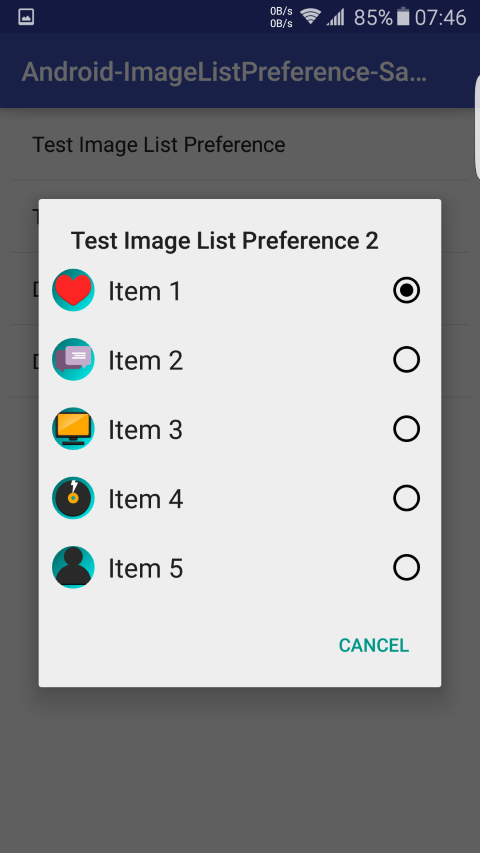
- Option to set Rounded Images [Circle shape]
- Can be created in xml and as well as in Java
- Bitmap or Drawable can be used for images when created using Java
- Exception handling present along with log inputs for developers to fix issues while using the Preference in their application
Tested with APIv21 & APIv23, but will work from APIv16 onwards
Paste or clone this library into the /libs folder, in the root directory of your project. Create a new folder: /libs if not already present.
Edit settings.gradle by adding the library. You have also define a project directory for the library.
Your settings.gradle should look like below:
include ':app', ':ImageListPreference'
project(':ImageListPreference').projectDir = new File('app/libs/ImageListPreference')
In your applicationModule(app)/build.gradle add the ImageListPreference library as a dependency:
dependencies {
  compile fileTree(dir: 'libs', include: ['*.jar'])
  compile 'com.android.support:appcompat-v7:23.1.1'
  compile project(":ImageListPreference")
}
Sync project, clean and build. You can use the ImageListPreference library as part of your project now.
/res/xml/preferences.xml
<?xml version="1.0" encoding="utf-8"?>
<PreferenceScreen
    xmlns:android="http://schemas.android.com/apk/res/android"
    xmlns:app="http://schemas.android.com/apk/res-auto"> <!-- You need to declare an application name space. -->

    <in.proficientapps.preference.imagelist.ImageListPreference
        android:key="pref_key_image_list_preference_1"
        android:title="@string/test_image_list_preference"
        android:dialogTitle="@string/test_image_list_preference"
        android:entries="@array/entries"
        android:entryValues="@array/entryValues"
        app:entryImages="@array/entryImages" <!-- This is an array containing references to the image drawables. -->
        app:roundedImage="false" /> <!-- 'COMPULSORY' | Set to false if you don't want rounded images else set to true. -->

    <in.proficientapps.preference.imagelist.ImageListPreference
        android:key="pref_key_image_list_preference_2"
        android:title="@string/test_image_list_preference_2"
        android:dialogTitle="@string/test_image_list_preference_2"
        android:entries="@array/entries"
        android:entryValues="@array/entryValues"
        app:entryImages="@array/entryImages"
        app:roundedImage="true" /> <!-- Images will be converted to Circular Shape. -->

</PreferenceScreen>
/res/values/arrays.xml
<?xml version="1.0" encoding="utf-8"?>
<resources>
    <string-array name="entries">
        <item>Item 1</item>
        <item>Item 2</item>
        <item>Item 3</item>
        <item>Item 4</item>
        <item>Item 5</item>
    </string-array>

    <string-array name="entryValues">
        <item>0</item>
        <item>1</item>
        <item>2</item>
        <item>3</item>
        <item>4</item>
    </string-array>

    <array name="entryImages">
        <item>@drawable/image_item_1</item>
        <item>@drawable/image_item_2</item>
        <item>@drawable/image_item_3</item>
        <item>@drawable/image_item_4</item>
        <item>@drawable/image_item_5</item>
    </array>
</resources>
Inside onCreate(...) { ... } of your PreferenceActivity/PreferenceFragment
Get the base PreferenceScreen to which you want to add the Dynamically created ImageListPreferences:
PreferenceScreen prefScreen = this.getPreferenceScreen();
/*
 * Alternatively you can do,
 * PreferenceScreen prefScreen = (PreferenceScreen) findPreference("pref_screen_key");
 */
Declare 2 String arrays and 1 Drawable/Bitmap array for entries, entryValues and entryImages respectively:
Resources res = getResources();
String[] entries = new String[] {"Item 1", "Item 2", "Item 3", "Item 4", "Item 5"};
String[] entryValues = new String[] {"0", "1", "2", "3", "4"};
Drawable[] entryImages = new Drawable[] {res.getDrawable(R.drawable.image_item_1),
              res.getDrawable(R.drawable.image_item_2), res.getDrawable(R.drawable.image_item_3),
              res.getDrawable(R.drawable.image_item_4), res.getDrawable(R.drawable.image_item_5)};
Than create ImageListPreference object and add title, key and other requrired details:
ImageListPreference imgListPref1 = new ImageListPreference(getActivity());
imgListPref1.setKey("pref_key_dynamic_image_list_pref_1");
imgListPref1.setTitle("Dynamic Image List Preference 1");
imgListPref1.setDialogTitle("Dynamic Image List Preference 1");
imgListPref1.setEntries(entries);
imgListPref1.setEntryValues(entryValues);
/*
 * Pass the Drawable/Bitmap Array to setEntryImages() Method,
 * the second parameter requires boolean value true or false for setting roundedImage.
 * false = images will be added as is.
 * true = images will be added in circular shape.
 */
imgListPref1.setEntryImages(entryImages, false);
prefScreen.addPreference(imgListPref1);
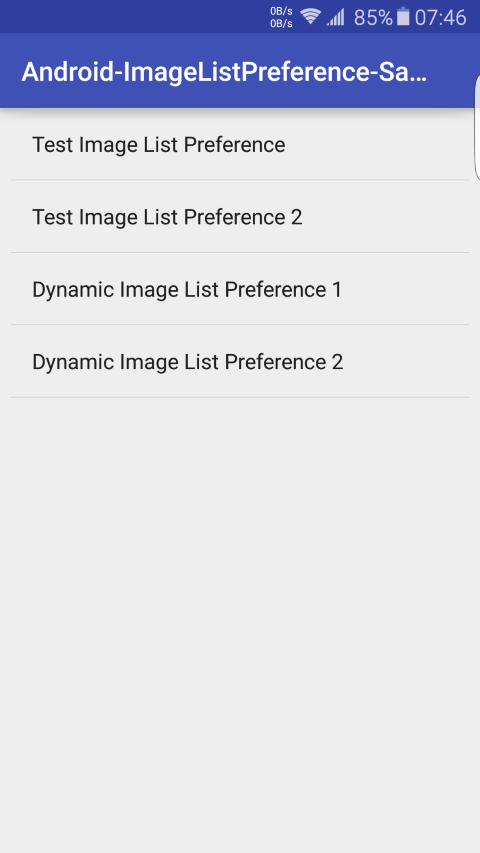
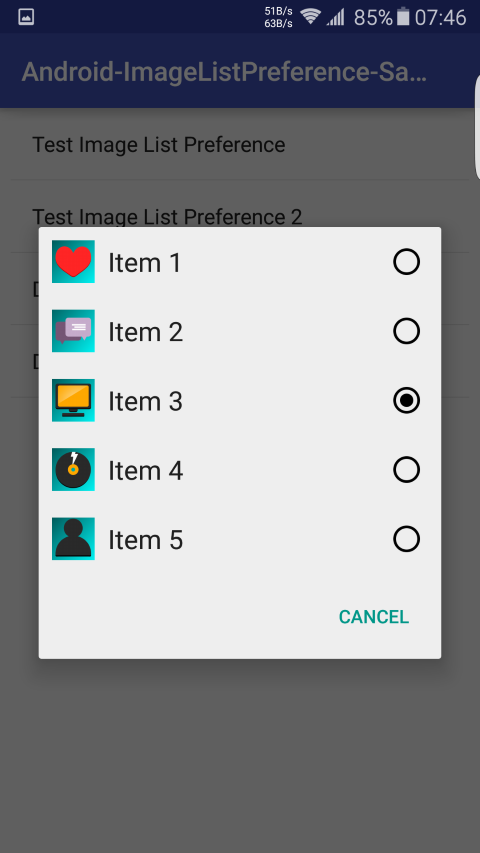
- https://raw.githubusercontent.com/Proficient-Apps/Android-ImageListPreference/master/screen_1.png
- https://raw.githubusercontent.com/Proficient-Apps/Android-ImageListPreference/master/screen_2.png
- https://raw.githubusercontent.com/Proficient-Apps/Android-ImageListPreference/master/screen_3.png
- https://raw.githubusercontent.com/Proficient-Apps/Android-ImageListPreference/master/screen_4.png
- https://raw.githubusercontent.com/Proficient-Apps/Android-ImageListPreference/master/screen_5.png
- CMWmobile.com[http://www.cmwmobile.com/] for guide on how to start with ImageListPreference
- attenzione [Github user] for his ColorPickerPreference README.rst. Used it as base for this README.rst