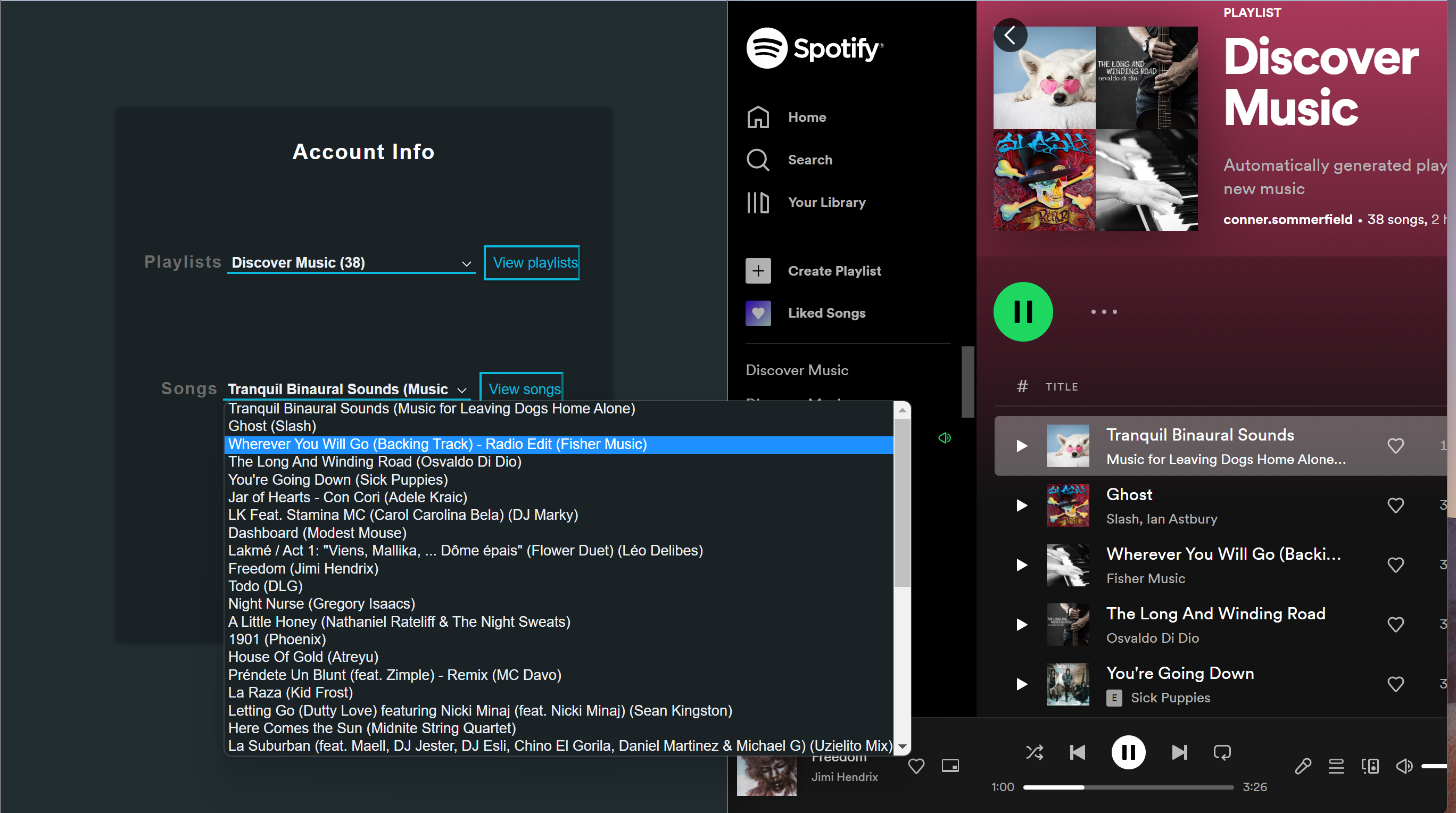
Spotify is probably one of my favorite parts about living in the 21st century, but if there's one thing that I love most about living in the modern era it's.....
Not having to do things manually!
Spotify's great but it would be better if it could somehow be automated. Luckily the cave man days of addings songs one-by-one to my playlists is over with this web app. The structure of this app revolves around an express backend server and a postgres database. The static files are reliable HTML CSS and raw Javascript (very simple frontend, much more concentrated on the backend). It's a web app but it's not necessarily meant to be a website. It's for the user to be able to run the server on their computer to have a nice way to interact with their spotify account.
This app integrates with the spotify API and has the ability to download the users songs and playlists to a postgres database. This is admittedly unnecessary for most functions because you can directly make calls from the API but I thought it would also be nice to be able to make a clone and then perform whatever functions on the postgres database, only later committing the changes to the spotify API; this also could be useful to prevent overloading the Spotify API with requests since it does have a limit (and I wanted to practice and showcase Postgres and SQL queries)
Even better than the spotify automation, the caveman days of setting up the entire enviroment, database and server are over because I was able to get this docker-compose file up and running... and oh is it beautiful. The docker container runs both the app and a containerized postgres database on its network, meaning the user has a clean slate every time they run the program - all with no setup. The spotify setup takes longer than the app setup.
To get started just clone this repository with
git clone https://github.com/Repo-Factory/Spotify-Helper.git .
and run
docker-compose up --build -d
Visit localhost:5500 (I have express set up on port 5500) when everything's up and running and it will bring you to the authentication page.
As far as the spotify side of things go, you do need a Spotify For Developers account to be able to authenticate with the API. It's very easy and takes less than five minutes. The id and secret key they give you are plugged into the login page of the webapp to be able populate information for the user's account. One last thing you have to do for their API is register the redirect URI in their settings. Just click edit settings in the developer page once you have an account created and put in 127.0.0.1:5500 (it will be docker's localhost, which I have set up to run on port 5500), it will work.
This app has the potential to perform an array of actions but isn't currently full of features. As of now it can display the user's songs and playlists, clone the user's spotify, and - the reason I made it - automatically make a new playlist of recommended songs. It does this by going through every playlist of the user and picking five random songs. These songs are used as "seed tracks" for spotify's recommendation API (limit of 5 songs) to get recommendations (default 20). This app then chooses one of those (20) songs and adds it to a new playlist called Discover Music. So for example if you have 35 playlists it will make a new playlist with 35 songs, one song representing each playlist. This helps me find new music very conveniently which is nice since I'm a musician (I can also unbiasedly say that the recommendations are usually solid).
Although that's the current main focus of the program, because of the easy playlist/song selection (set up in picklists) and the database clone, it's a nice template for some other functionality that could be added on. For one it could be a way to conveniently perform CRUD operations on your songs; for example sometimes I want to delete a bunch of songs but don't want to do it manually. Using this app as a basis, it would be easy to give it an interface to perform such kind of action.