English | 简体中文
chat-uikit-react is a UI component library based on Tencent Cloud IM SDK. It provides universal UI components to offer features such as conversation, chat, relationship chain, group, and audio/video call features. With these UI components, you can quickly build your own business logic. When implementing UI features, components in chat-uikit-react will also call the corresponding APIs of the IM SDK to implement IM-related logic and data processing, allowing developers to focus on their own business needs or custom extensions.
We have built demos to illustrate the chatting feature.
| sample-chat | live-chat | |
|---|---|---|
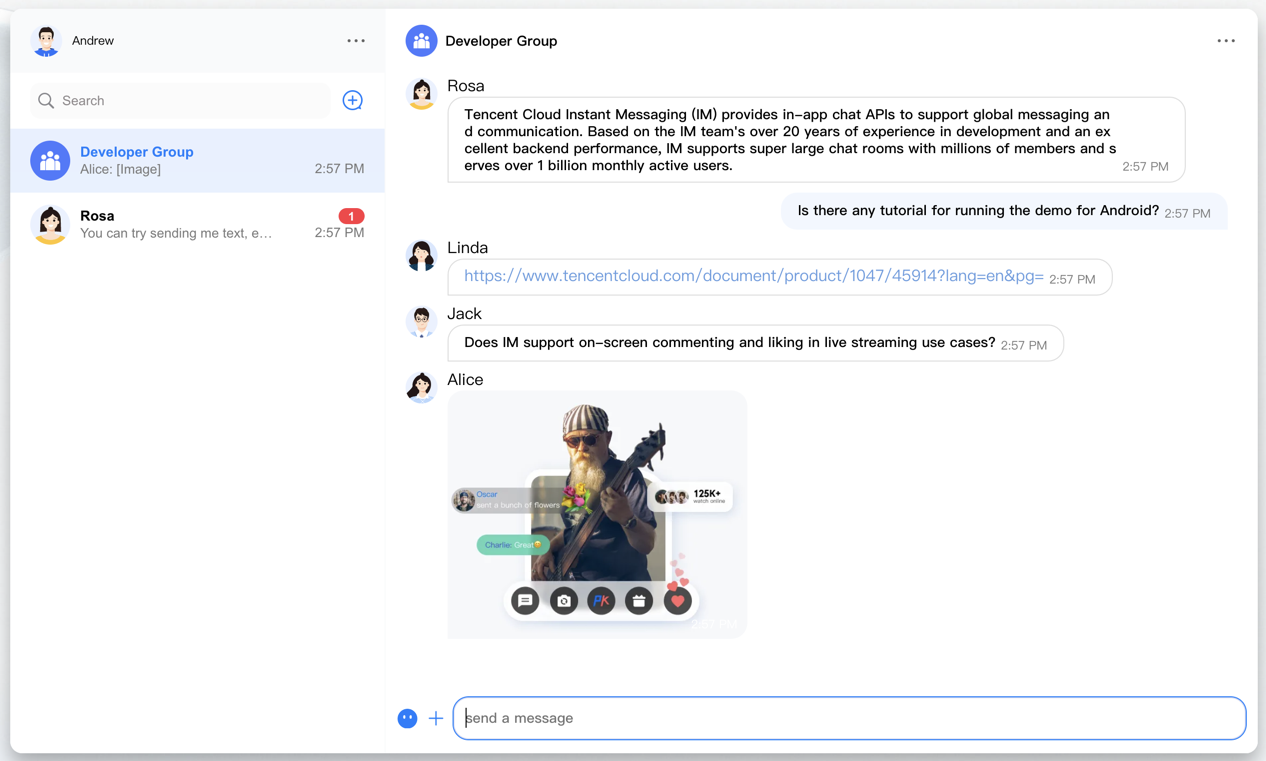 |
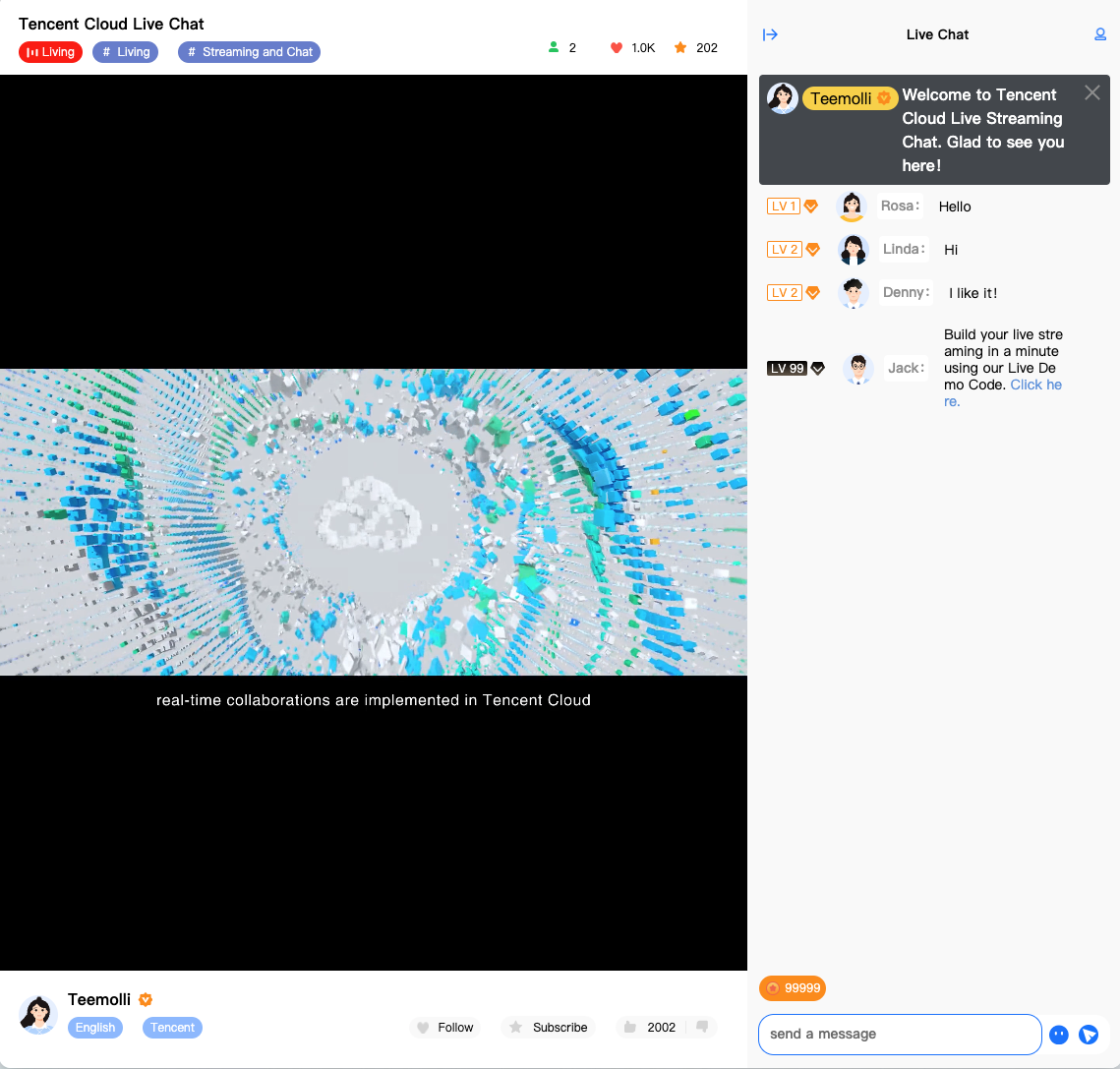 |
|
| url | sample-chat | live-chat |
| demo code | sample-chat-code | live-chat-code |
You can preview these demos on our website and obtain their open source code in GitHub.
# Run the code in CLI
$ git clone https://github.com/TencentCloud/chat-uikit-react
# Go to the project
$ cd chat-uikit-react
# Install dependencies of the demo
$ npm install && cd examples/sample-chat && npm install
- Open the
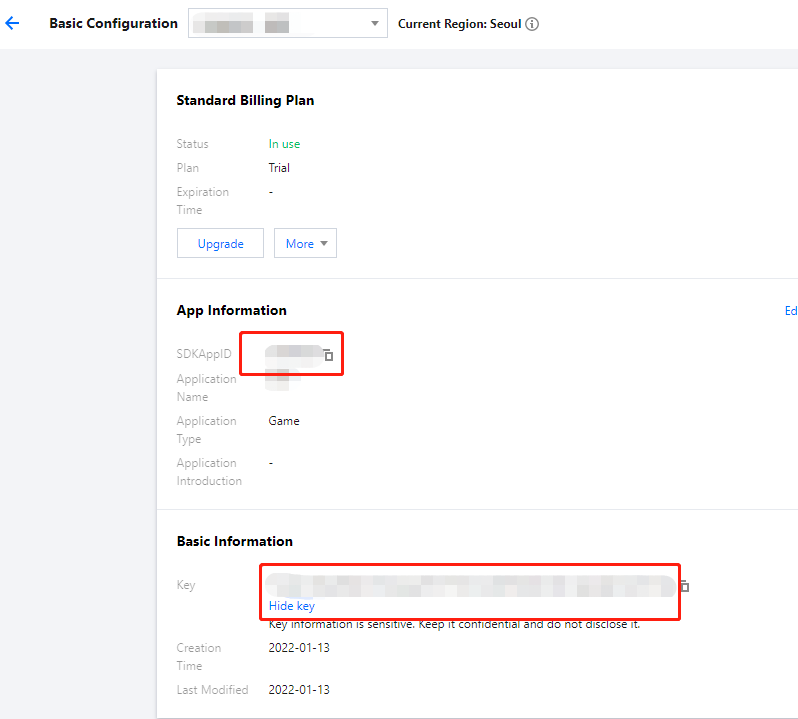
examples/sample-chatproject and locate theGenerateTestUserSig.jsfile in./examples/sample-chat/src/debug/GenerateTestUserSig.js. - In the
GenerateTestUserSig.jsfile, setSDKAPPIDandSECRETKEY, whose values can be obtained in the IM console. Click the card of the target app to go to its configuration page. - In the Basic Information area, click Display key, and copy and save the key information to the
GenerateTestUserSigfile.
!
- In this document, the method to obtain
UserSigis to configure the secret key in the client code. In this method, the secret key is vulnerable to decompilation and reverse engineering. Once your secret key is leaked, attackers can steal your Tencent Cloud traffic. Therefore, this method is only suitable for locally running a demo project and debugging.- The best practice is to integrate the calculation code of
UserSiginto your server and provide an application-oriented API. WhenUserSigis needed, your application can send a request to your server for a dynamicUserSig. For more information, see How do I calculateUserSigduring production?.
# Launch the project
$ cd examples/sample-chat
$ npm run start
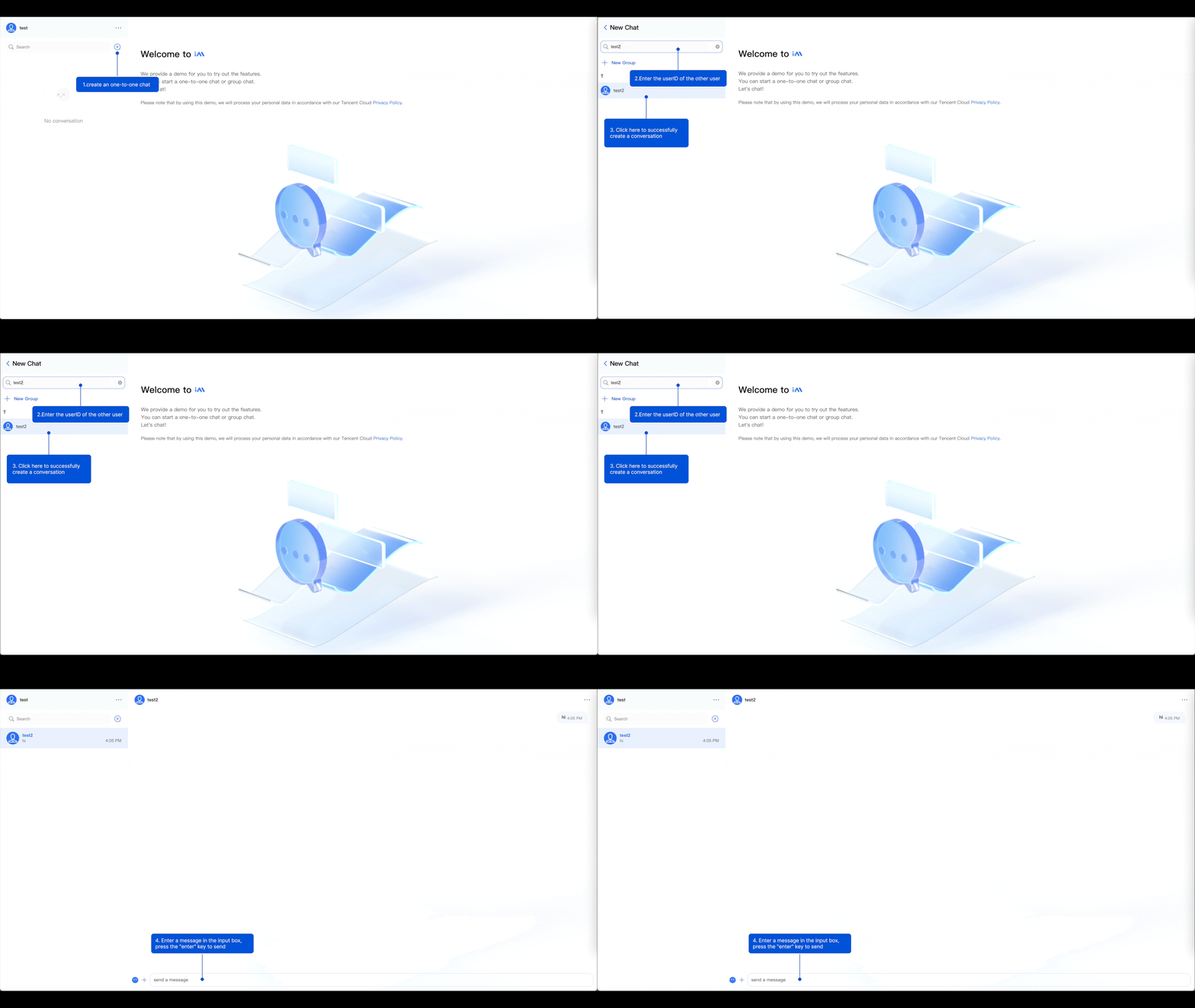
- After the product is launched, click the + icon to create a conversation.
- Search for another user's userID in the input box.
- Click the user's profile photo to initiate a conversation.
- Enter a message in the input box and press Enter to send it.