The next-alert library allows for easy integration and management of notifications / alerts in your Next.js 13/14 application.
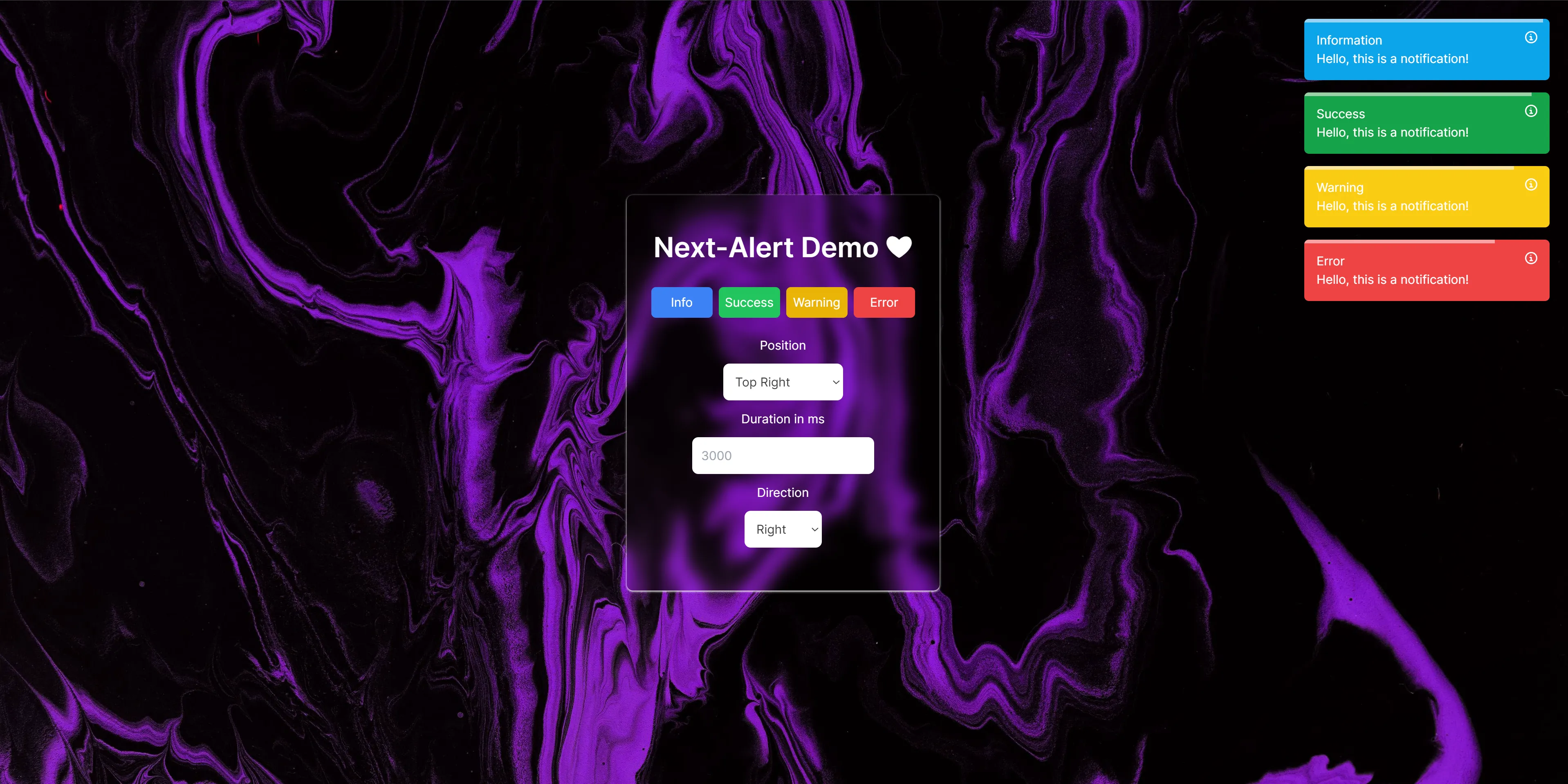
To install next-alert, use one of the following commands in your terminal:
npm install framer-motion next-alert
# or
yarn add framer-motion next-alert
Why do you need to install Framer-motion? Because the next alert uses Framer-motion for animation and I don't want to add this dependency in the next alert because you may be using a different version of Framer-motion for animation in your project.
In main component you must use provider:
import { AlertProvider } from "next-alert";

export default function Home() {
	return (
        <AlertProvider>
            <Components/>
        </AlertProvider>
    )
}
In component use like this:
"use client";
import { useAlert } from "next-alert";
import { Alerts } from "next-alert";

const Component = () => {
	const { addAlert } = useAlert();

    const handleClick = () => {
        addAlert("Title","Description","Type", () => { function execute after alert gone (optional) });
    }
    return (
        <div>
            // this component is container for showing notifications
            <Alerts
				position="top-right"
				direction="right"
				timer={3000}
				className="rounded-md relative z-50 !w-80"
			>
                <SVG | or else files/>
            </Alerts>
        </div>
    )
}| Param | Options | Default |
|---|---|---|
| --------------- | Alert component params | ---------------------- |
| position | top-left, top-right, bottom-left, bottom-right, center-top, center-bottom | top-right |
| direction | left, right, top, bottom | right |
| timer | number | 3000 |
| className | tailwind class | empty, you can change defaut styles by add ! |
| --------------- | Alert hook params | ---------------------- |
| title | string | empty |
| description | string | empty |
| type | success, error, warning, info | empty |
| --------------- | Alert Import Types | ---------------------- |
| AlertProps | interface AlertProps | |
| AlertType | "success" | "error" | "warning" | "info" | |
| AlertDirection | "left" | "right" | "top" | "bottom" | |
| AlertPosition | "top-left" | "top-right" | "bottom-left" | "bottom-right" | "center-top" | "center-bottom" |
    "framer-motion": ">=10",
    "react": ">=16",
    "react-dom": ">=16",
"tailwindcss": ">=3.0.0"TheLoloS
Mit
Note: next-alert is actively being developed, so we recommend regularly checking for the latest versions and updating your application.