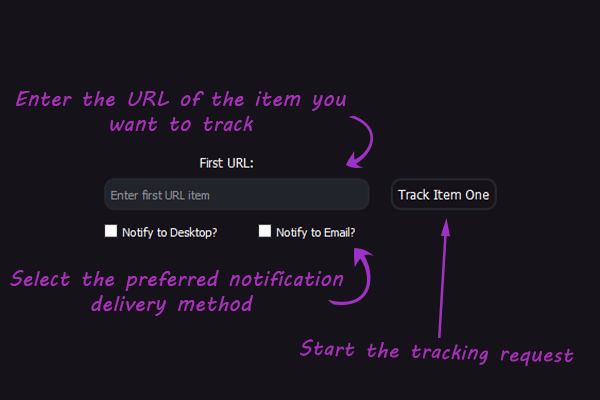
This project is based on my new language research programmed with Python and includes a user interface (PyQt5 framework) to help manage the user’s preferences, scrape a website for item availability capability and can output reports of findings in a csv format.
With StellaBot, the user can run the application in the background for peace of mind and will
be alerted if their specific item is available, based on their preference.
Application will place an order to purchase the item (Not Supported For Now).
Supporting websites to be scraped will be a mixture of scrape sandboxes and my own localhost webpages to avoid IP bans and delays
of testing phase.
- User Interface
- Real Time Tracking
- Tracking Management
- Automated Purchase
- Push Alerts
- Export Data
Run the server.py to host a web server on your machine, and connect to the server on your web browser
"http://localhost:8080" and navigate to the WebPages directory. On your IDE, you can also navigate to the WebPages direcotry
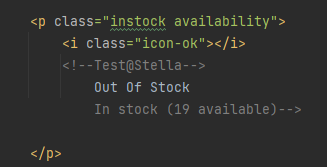
and edit the<p>Out of Stock</p> CTRL+F and search for Test@Stella for easier access.
5 web pages are available to be tested courtesy of books to scrape.
paste the link into StellaBot (http://localhost:8080/WebPages/scott-pilgrims-precious-little-life-scott-pilgrim-1_987.html) for example.
While its running, change the <p>Out Of Stock</p> to <p>In Stock</p>,
you will receive an alert depending on your preference.