
Intro:
neuLayout uses Java Swing, and does not use any third party libraries. This application is essentially a 2-dimensional "universe" containing members, all of which extend from the Actor class. The point of this application was to create something where you could visually represent something, anything, in a space larger than your screen or window, and scroll/move around in all four directions to explore the contents of the "universe" outside of what your window currently displays. There is a HUD Map which represents the entirety of the universe, and displays it on a much smaller scale, and it also shows your view with respect to the rest of the universe.
Checkout the project web page here: http://andrewnyhus.github.io/neuLayout-Swing/
and the Javadoc for reference here: http://andrewnyhus.github.io/neuLayout-Swing/dist/javadoc/index.html
Examples:
You can find a few examples in the examples folder (src/Examples/).
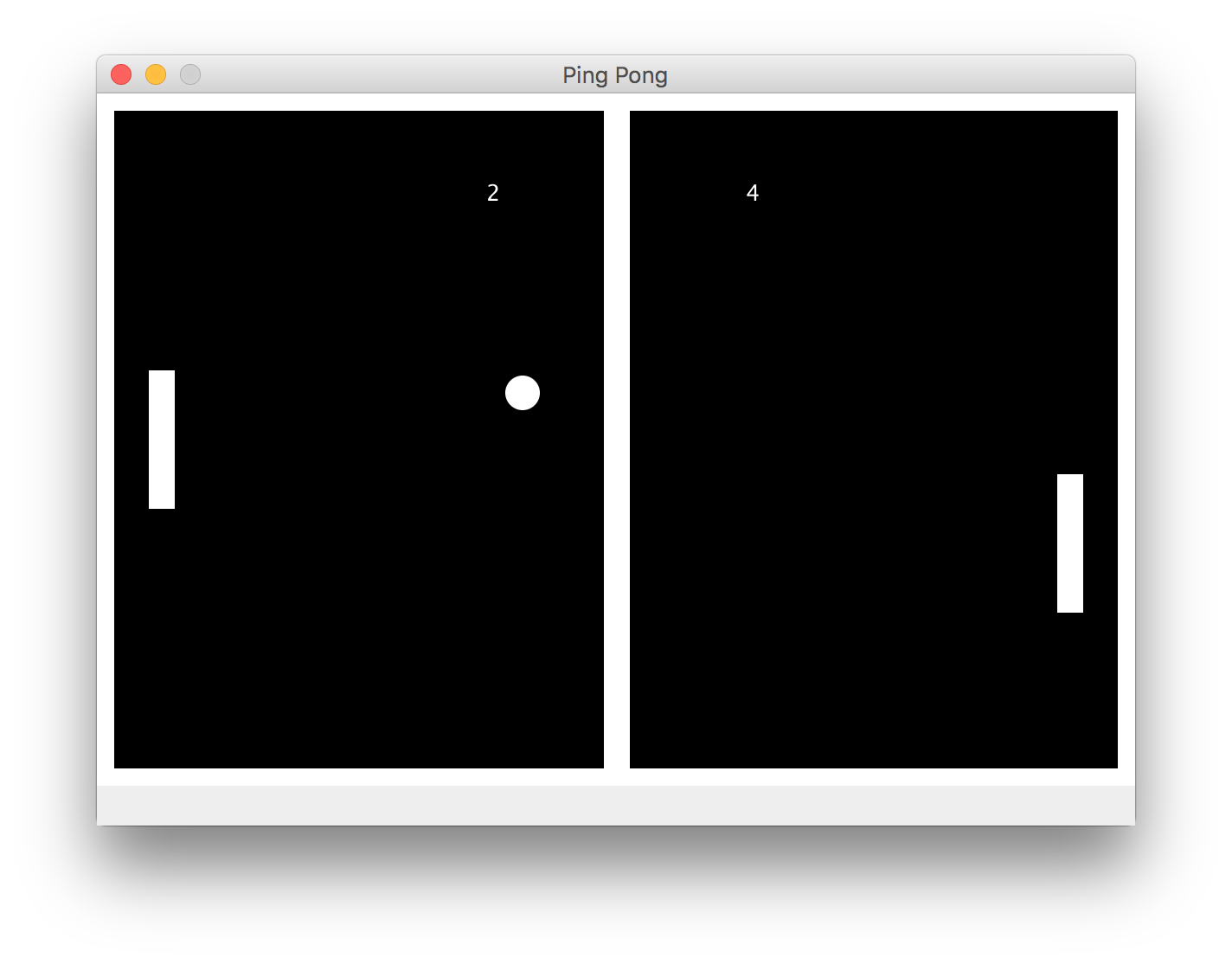
There is an example similar to the classic game "Pong," this example illustrates how to
extend the UniverseController class, how to create interactions between various actors,
and also how to include custom responses to the user pressing on the keyboard.
Screenshot:
![logo]
[logo]:https://raw.githubusercontent.com/andrewnyhus/neuLayout-Swing/master/PongExampleScreenshot.png
If you run the example, you'll notice it's not perfect but the point is still there.
When the ball passes a paddle, the score board is updated. I would have liked to implement
something that allowed for the ball to bounce off of the paddle at an angle based on the way it
hits the paddle, but instead it simply continues in the y direction, and flips in the x.
Both the right and left paddles are controlled by the user, and an up key as well as a down key are
assigned to each paddle. For the left paddle, up is 'w' and down is 's'. For the right paddle,
the up arrow is up, and the down arrow is down. When your paddle is moving, it continues to move until it
either hits a wall or until the user presses the key for the opposite direction. If the user
presses the key for the direction opposite from which the paddle is moving, then the paddle halts.
**src/Examples/RandomlyGeneratedUniverse.java**
This example is useful because it creates a Container Universe that is larger than the window,
and when run, shows what scrolling looks like in this framework
**src/Examples/Football.java**
This example is admittedly corny and simplistic, but shows how to draw up something
familiar (a football field),
add a moving actor (football) and respond to its updating location by changing the title of the frame.
1) Simple 2d game engine.
2) Summarizing events within a sports game based on the location they occurred within the field or court (i.e. Basketball game shot summary, Football game tackle/injury summary, etc.)
3) Mapping out an area such as a home, building, or even community or city on a basic level.
1) Implement a Connection object which extends Actor and is visually represented as a line between the two actors.
2) Support for Polygons
3) Persistent Storage of ContainerUniverse and SettingsSingleton
4) Implementing basic physics (friction, rotation, gravity etc.)
5) Have ContainerUniverse extend Actor
6) Allowing for storing data within Actor class
7) Providing user with ability to add actors on runtime through a
menu triggered by a double click (also registering double clicks)
8) Doors- optional addons to an actor that act as a portal from the current universe container to a new one that is within that specific actor. Doors are two-sided, so whenever you enter into an actor
9) To provide network capabilities.
10) To port this to Android.
11) To port this to Python for web and for local (Tk for graphics on local version).