


ODiff is a blazing fast native image comparison tool. Check benchmarks for the results, but it compares the visual difference between 2 images in milliseconds. ODiff is designed specifically to handle significantly similar images like screenshots, photos, AI-generated images and many more. ODiff is designed to be portable, fast, and memory efficient.
Originally written in OCaml, currently in Zig with SIMD optimizations for SSE2, AVX2, AVX512, and NEON.
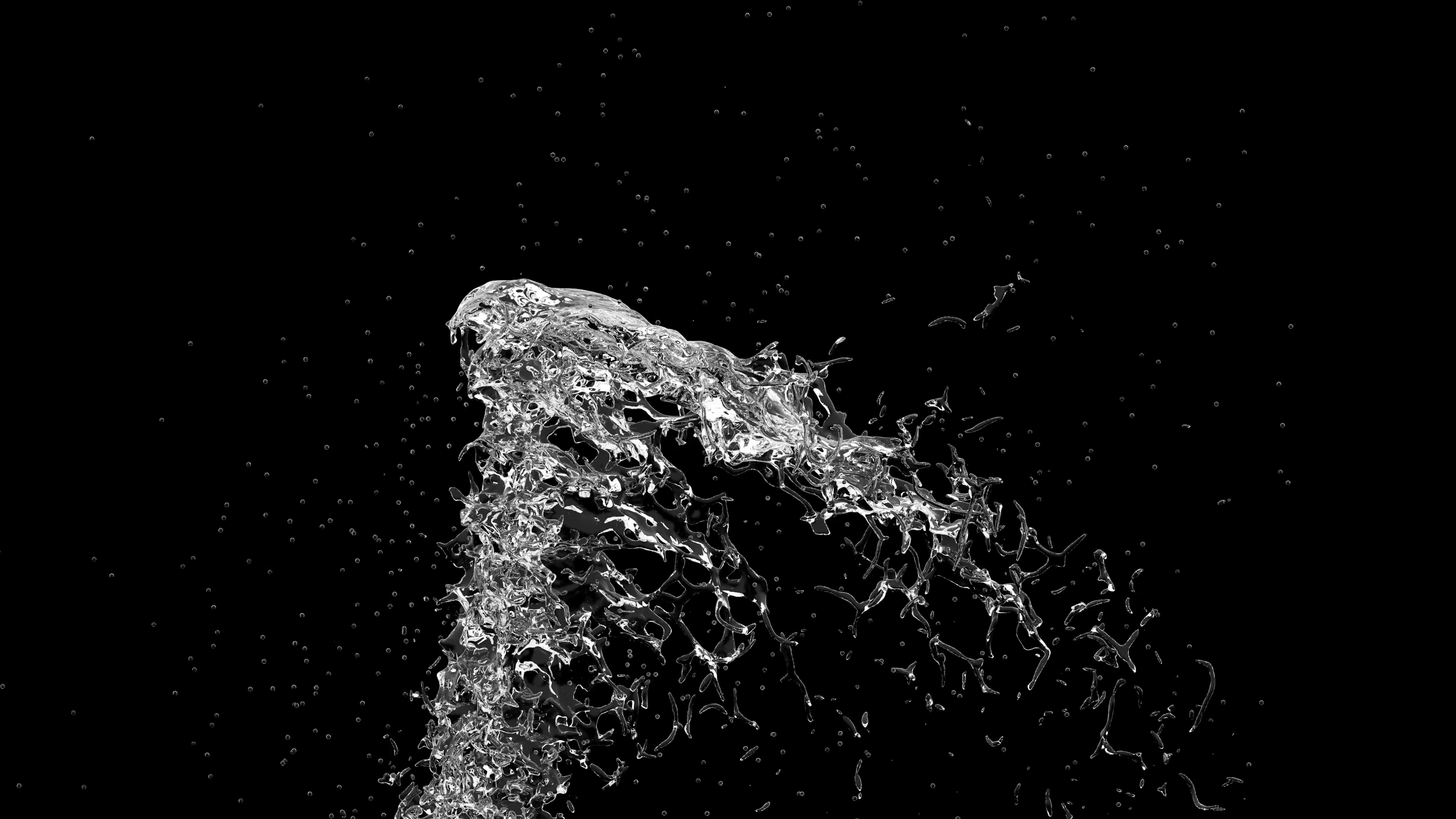
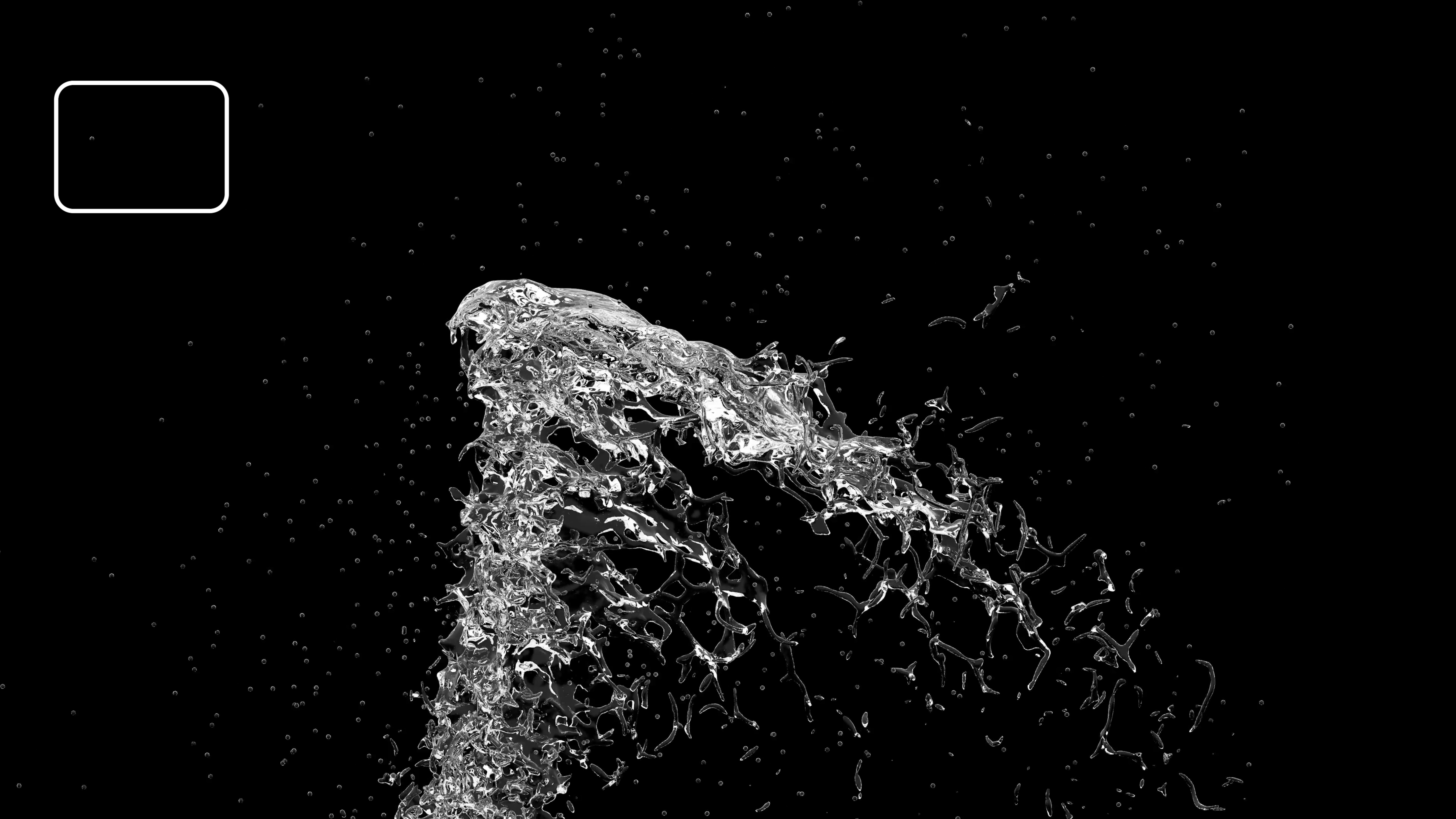
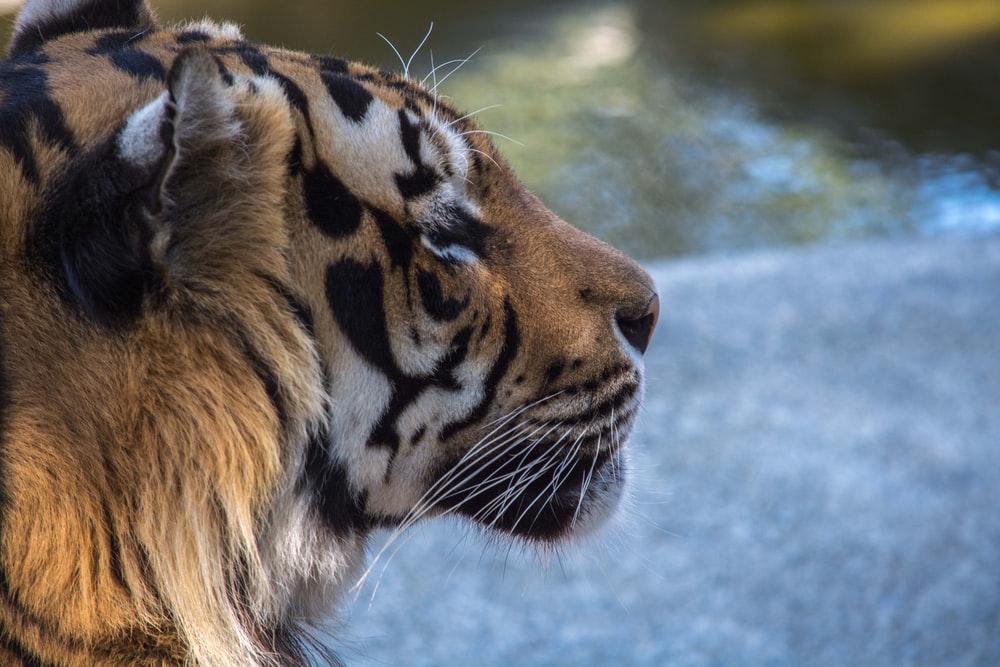
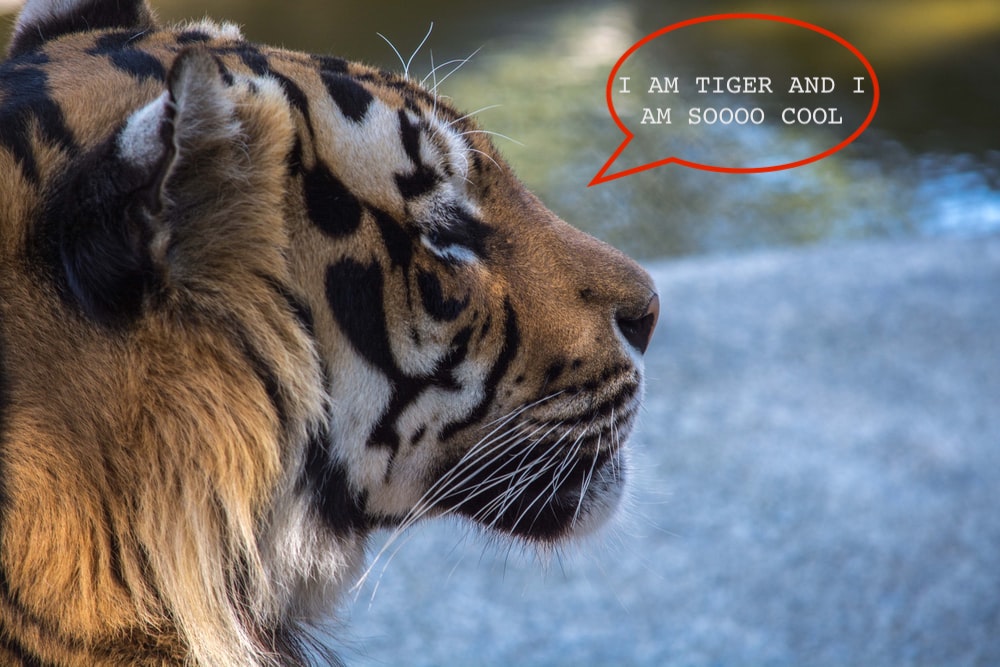
| base | comparison | diff |
|---|---|---|
 |
 |
 |
 |
 |
 |
 |
 |
 |
- ✅ Cross-format comparison - Yes .jpg vs .png comparison without any problems.
- ✅ Support for
.png,.jpeg,.jpg,.webp, and.tiff - ✅ Supports comparison of images with different layouts.
- ✅ Anti-aliasing detection
- ✅ Ignoring regions
- ✅ Using YIQ NTSC transmission algorithm to determine visual difference.
- ✅ SIMD optimized working for SSE2, AVX2, AVX512, and NEON
- ✅ Controlled memory footprint
- ✅ 100% test coverage and backward compatibility
Run the simple comparison. Image paths can be one of supported formats, diff output is optional and can only be .png.
odiff <IMG1 path> <IMG2 path> [DIFF output path]
We also provide direct node.js binding for the odiff. Run the odiff from nodejs:
const { compare } = require("odiff-bin");

const { match, reason } = await compare(
  "path/to/first/image.png",
  "path/to/second/image.png",
  "path/to/diff.png",
);Odiff provides a server mode for the long lasting runtime application to reduce a time you have to spend on forking and initializing child process on each odiff call. From node js it works as simply as
const { ODiffServer } = require("odiff-bin");

// it is safe to run from the module scope as it will automatically lazy load
// and will cleanup and gracefully close on exits/sigints
const odiffServer = new ODiffServer();

const { match, reason } = await odiffServer.compare(
  "path/to/first/image.png",
  "path/to/second/image.png",
  "path/to/diff.png",
);
For the pure binary usage this is a simple readline stdio protocol with JSON message, here is a simple example
odiff --server

$ odiff --server
{"ready":true} # ready signal

# your input
{"requestId":1,"base":"images/www.cypress.io.png","compare":"images/www.cypress.io-1.png","output":"images/www.cypress-diff.
png"}
# server response
{"requestId":1,"match":false,"reason":"pixel-diff","diffCount":1090946,"diffPercentage":2.95}Just install playwright-odiff and simply
// in your setup file or test entrypoint
import "playwright-odiff/setup";

expect(page).toHaveScreenshotOdiff("screenshot-name", { /* any odiff and playwright options */ });
More details at playwright-odiff doc
Checkout cypress-odiff, a cypress plugin to add visual regression tests using odiff-bin.
LostPixel – Holistic visual testing for your Frontend that allows very easy integration with storybook and uses odiff for comparison
Argos CI – Visual regression service powering projects like material-ui. (It became 8x faster with odiff)
Visual Regression Tracker – Self hosted visual regression service that allows to use odiff as screenshot comparison engine
OSnap – Snapshot testing tool written in OCaml that uses config based declaration to define test and was built by odiff collaborator.
Here is an api reference:
The best way to get up-to-date cli interface is just to type the
odiff --help
NodeJS Api is pretty tiny as well. Here is a typescript interface we have:
export type ODiffOptions = Partial<{
  /** Color used to highlight different pixels in the output (in hex format e.g. #cd2cc9). */
  diffColor: string;
  /** Output full diff image. */
  outputDiffMask: boolean;
  /** Outputs diff images with a white shaded overlay for easier diff reading */
  diffOverlay: boolean | number;
  /** Do not compare images and produce output if images layout is different. */
  failOnLayoutDiff: boolean;
  /** Return { match: false, reason: '...' } instead of throwing error if file is missing. */
  noFailOnFsErrors: boolean;
  /** Color difference threshold (from 0 to 1). Less more precise. */
  threshold: number;
  /** If this is true, antialiased pixels are not counted to the diff of an image */
  antialiasing: boolean;
  /** If `true` reason: "pixel-diff" output will contain the set of line indexes containing different pixels */
  captureDiffLines: boolean;
  /** If `true` odiff will use less memory but will be slower with larger images */
  reduceRamUsage: boolean;
  /** An array of regions to ignore in the diff. */
  ignoreRegions: Array<{
    x1: number;
    y1: number;
    x2: number;
    y2: number;
  }>;
}>;

export type ODiffResult =
  | { match: true }
  | { match: false; reason: "layout-diff" }
  | {
      match: false;
      reason: "pixel-diff";
      /** Amount of different pixels */
      diffCount: number;
      /** Percentage of different pixels in the whole image */
      diffPercentage: number;
      /** Individual line indexes containing different pixels. Guaranteed to be ordered and distinct.  */
      diffLines?: number[];
    }
  | {
      match: false;
      reason: "file-not-exists";
      /** Errored file path */
      file: string;
    };

declare function compare(
  basePath: string,
  comparePath: string,
  diffPath: string,
  options?: ODiffOptions,
): Promise<ODiffResult>;

/**
 * ODiffServer - Persistent server instance for multiple comparisons
 *
 * Use this when you need to perform multiple image comparisons to avoid
 * process spawn overhead. The server process stays alive and reuses resources.
 *
 * The server initializes automatically on first compare() call, so you can
 * create an instance and start using it immediately.
 *
 * @example
 * ```ts
 * const server = new ODiffServer();
 *
 * const result1 = await server.compare('a.png', 'b.png', 'diff1.png');
 * // add optional timeout to catch any possible crashes on the server side:
 * const result2 = await server.compare('c.png', 'd.png', 'diff2.png', { threshold: 0.3, timeout: 5000 });
 *
 * server.stop();
 * ```
 *
 * It is absolutely fine to keep odiff sever leaving in the module root
 * even if you have several independent workers, it will automatically spawn
 * a server process per each multiplexed core to work in parallel
 *
 * @example
 * ```typescript
 * const odiffServer = new ODiffServer();
 *
 * test('visual test 1', async () => {
 *   await odiffServer.compare('a.png', 'b.png', 'diff1.png');
 * });
 *
 * test('visual test 2', async () => {
 *   await odiffServer.compare('c.png', 'd.png', 'diff2.png');
 * });
 * ```
 */
export declare class ODiffServer {
  /**
   * Create a new ODiffServer instance
   * Server initialization begins immediately in the background
   * @param binaryPath - Optional path to odiff binary (defaults to bundled binary)
   */
  constructor(binaryPath?: string);

  /**
   * Compare two images using the persistent server
   * Automatically waits for server initialization if needed
   * @param basePath - Path to base image
   * @param comparePath - Path to comparison image
   * @param diffOutput - Path to output diff image
   * @param options - Comparison options with optional timeout for request
   * @returns Promise resolving to comparison result
   */
  compare(
    basePath: string,
    comparePath: string,
    diffOutput: string,
    options?: ODiffOptions & { timeout?: number },
  ): Promise<ODiffResult>;

  /**
   * Compare two images buffers, the buffer data is the actual encoded file bytes.
   * **Important**: Always prefer file paths compare if you are saving images to disk anyway.
   *
   * @param baseBuffer - Buffer containing base image data
   * @param baseFormat - Format of base image: "png", "jpeg", "jpg", "bmp", "tiff", "webp"
   * @param compareBuffer - Buffer containing compare image data
   * @param compareFormat - Format of compare image: "png", "jpeg", "jpg", "bmp", "tiff", "webp"
   * @param diffOutput - Path to output diff image
   * @param options - Comparison options with optional timeout for request
   * @returns Promise resolving to comparison result
   */
  compareBuffers(
    baseBuffer: Buffer,
    baseFormat: string,
    compareBuffer: Buffer,
    compareFormat: string,
    diffOutput: string,
    options?: ODiffOptions & { timeout?: number },
  ): Promise<ODiffResult>;

  /**
   * Stop the odiff server process
   * Should be called when done with all comparisons
   * Safe to call even if server is not running
   */
  stop(): void;
}

export { compare, ODiffServer };
Compare option will return { match: true } if images are identical. Otherwise return { match: false, reason: "*" } with a reason why images were different.
Make sure that diff output file will be created only if images have pixel difference we can see 👀
We provide prebuilt binaries for most of the used platforms, there are a few ways to install them:
The recommended and cross-platform way to install this lib is npm and node.js. Make sure that this package is compiled directly to the platform binary executable, so the npm package contains all binaries and post-install script will automatically link the right one for the current platform.
Important: package name is odiff-bin. But the binary itself is odiff
npm install odiff-bin
Then give it a try 👀
odiff --help
Download the binaries for your platform from release page.
Run the benchmarks by yourself. Instructions on how to run the benchmark is here
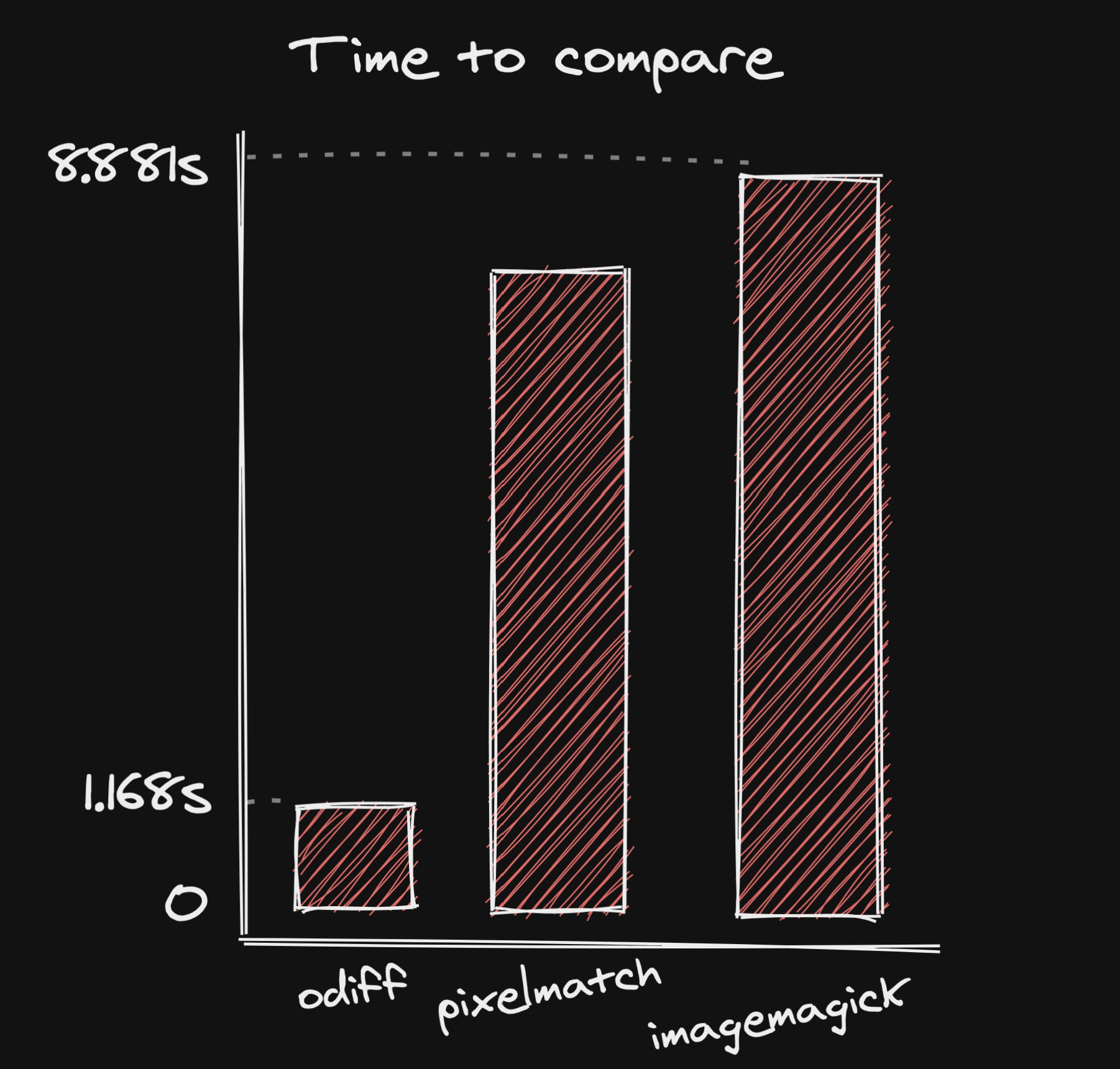
Performance matters. At least for sort of tasks like visual regression. For example, if you are running 25000 image snapshots per month you can save 20 hours of CI time per month by speeding up comparison time in just 3 seconds per snapshot.
3s * 25000 / 3600 = 20,83333 hours
Here is odiff performance comparison with other popular visual difference solutions. We are going to compare some real-world use cases.
Let's compare 2 screenshots of full-size https://cypress.io page:
| Command | Mean [s] | Min [s] | Max [s] | Relative |
|---|---|---|---|---|
pixelmatch www.cypress.io-1.png www.cypress.io.png www.cypress-diff.png |
7.712 ± 0.069 | 7.664 | 7.896 | 6.67 ± 0.03 |
ImageMagick compare www.cypress.io-1.png www.cypress.io.png -compose src diff-magick.png |
8.881 ± 0.121 | 8.692 | 9.066 | 7.65 ± 0.04 |
odiff www.cypress.io-1.png www.cypress.io.png www.cypress-diff.png |
1.168 ± 0.008 | 1.157 | 1.185 | 1.00 |
Wow. Odiff is 6 times faster than imagemagick and pixelmatch. And this will be even clearer if image will become larger. Let's compare an 8k image to find a difference with another 8k image:
| Command | Mean [s] | Min [s] | Max [s] | Relative |
|---|---|---|---|---|
pixelmatch water-4k.png water-4k-2.png water-diff.png |
10.614 ± 0.162 | 10.398 | 10.910 | 5.50 ± 0.05 |
Imagemagick compare water-4k.png water-4k-2.png -compose src water-diff.png |
9.326 ± 0.436 | 8.819 | 10.394 | 5.24 ± 0.10 |
odiff water-4k.png water-4k-2.png water-diff.png |
1.951 ± 0.014 | 1.936 | 1.981 | 1.00 |
Yes it is significant improvement. And the produced difference will be the same for all 3 commands.
If you have recently updated, please read the changelog for details of what has changed.
The project is licensed under the terms of MIT license