Chronos is a static, modular web application for time tracking. It is designed to make time entry as easy as possible, especially with frequent context switches.
Here is a short YouTube overview:
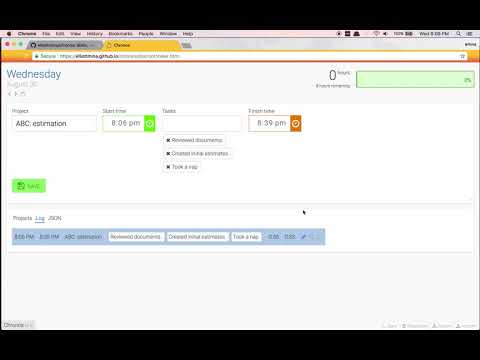
Being static allows you to drop the application into any server (or use the tiny server included).
The modular design makes it easy for anyone to replace or add modules without disrupting existing functionality.
The tool is static, so it just needs to be epoxed via HTTP. Create a symlink to docroot within an existing site, or create a new vhost/server block pointing to docroot.
A tiny Flask server is also included in the Python directory. A requirements.txt is included, if you don't have Flask, or you wish to use a virtual environment.
Once you have Flask installed, you can just execute server.py.
python/server.py
The application uses your browser's local storage, which is tied to the domain it is used on. If you wish to serve the application from a different domain, you can export the data as a JSON file, and then import it on the new site.
Chronos is designed to be customized. Nearly all functionality is included with drop-in modules. That said, the only documentation is the wealth of examples found in the existing modules.
The only real dependencies are on the Dispatcher and Persister objects.
Dispatcher handles communication between modules using an event system. Register for events you want to be notified of, and generate events in your module logic. DateLine is one of the simplest modules, and a good starting place for understanding interaction.
Persister loads and saves data. Most of your interaction should use events rather than the Persister directly. JsonSummary is a simple example of how to react to data.
The easiest build option is to develop using the Python web server, which will automatically pick up added module files when you refresh the page.
When your changes are complete, or if you wish to develop using another server, you can rebuild the index using the Python rebuild module in the python directory.
python/rebuild.py