A Bevy plugin that provides a Read-Eval-Print Loop (REPL) interface for interactive command input.
The ReplPlugins plugin group enables a REPL within the terminal while your
Bevy application runs, allowing users to enter commands and interact with the
ECS at runtime.
use bevy::prelude::*;
use bevy_repl::prelude::*;

fn main() {
    App::new().add_plugins((DefaultPlugins, ReplPlugins));
}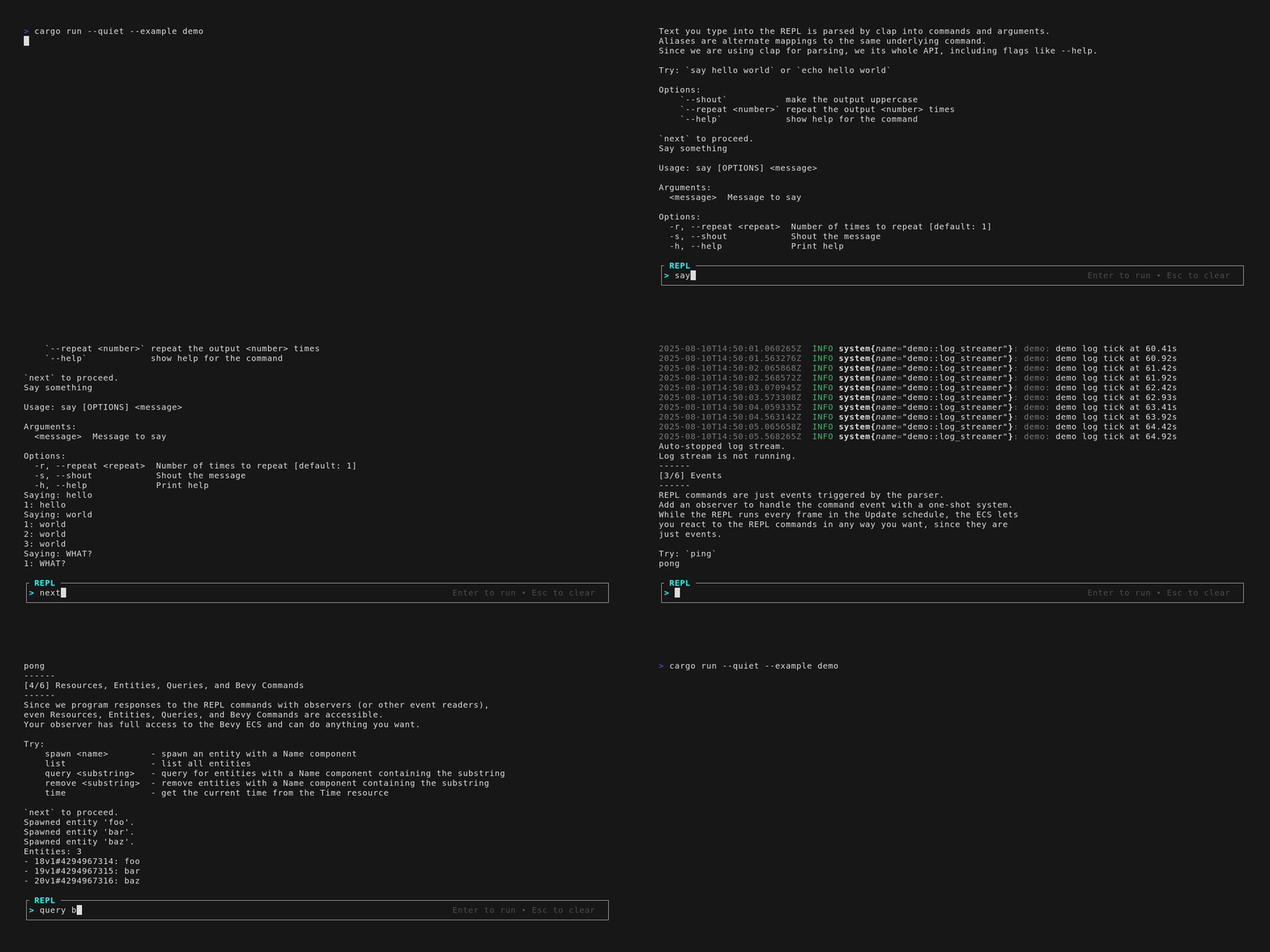
Bevy REPL is powered by clap for command parsing and bevy_ratatui for
terminal input and output. The plugin adds a text input area below the terminal
output for interaction even in headless mode.
- Unobtrusive TUI console below normal terminal output to stdout
- Command parsing and CLI features from
clap - Observer-based command execution system with full Bevy ECS access for both read and write operations
- Integration with
bevy_logandtracingthat shows Bevy logs with rich formatting in the REPL (if you disable Bevy'sLogPlugin) - Works in terminal with headless and windowed apps
- Built-in commands for common tasks (just
quitfor now) - Support for custom prompt rendering
- (Experimental) Custom keybind support for REPL cursor controls
The REPL is designed as an alternative to makspll/bevy-console for Bevy apps that want a terminal-like console to modify the game at runtime without implementing a full TUI or rendering features.
This is my first public Bevy plugin, and I vibe-coded a large part of it. You have been warned.
| Version | Bevy | Notes |
|---|---|---|
| 0.4.1 | 0.16.1 | Better docs: philiplinden.github.io/bevy_repl |
| 0.4.0 | 0.16.1 | Removed the "pretty" renderer in favor of getting simple prompt features working. Changed the interface slightly. This is a breaking change! See examples for help. |
| 0.3.0 | 0.16.1 | First release. Supports derive feature. Only quit built-in command is implemented. Includes a "pretty" renderer for fancy prompt styling, but it doesn't work very well. |
Theoretically all clap features are supported, but I have only tested derive.
Override the clap features in your Cargo.toml to enable or disable
additional features at your own risk.
| Feature Flag | Description | Default |
|---|---|---|
derive |
Support clap's derive pattern for REPL commands | false |
default_commands |
Enable all built-in commands | true |
quit |
Enable the quit command |
true (included in default_commands) |
help |
Enable the help command |
false |
clear |
Enable the clear command |
false |
[dependencies]
bevy = "0.16.1"
bevy_repl = { version = "0.4.1", default-features = true }
Optional features:
| Feature Flag | Description | Default |
|---|---|---|
derive |
Support clap's derive pattern for REPL commands | false |
default_commands |
Enable all built-in commands | true |
use bevy::prelude::*;
use bevy_repl::ReplPlugins;

fn main() {
    App::new()
        // Headless with a stable frame time (60 FPS) - this is important!
        .add_plugins((
            DefaultPlugins
                .set(bevy::app::ScheduleRunnerPlugin::run_loop(
                    std::time::Duration::from_secs_f32(1.0/60.0)
                ))
            ReplPlugins,
        ))
        .run();
}Input is parsed via clap commands and corresponding observer systems that
execute when triggered by the command.
- Define a command type by deriving
Eventand implementingReplCommand(or deriving it if you have thederivefeature enabled). - Register the command with the app with
.add_repl_command::<YourReplCommand>(). - Handle the command event with an observer:
.add_observer(on_command).
The REPL parses prompt input to a YourReplCommand event, where the fields are
the parsed arguments and options. Use observers to handle the event with full
ECS access.
The Bevy REPL Book is a collection of docs and notes about the Bevy REPL, how to use it, and how it works under the hood.
The book is available at philiplinden.github.io/bevy_repl.
Except where noted (below and/or in individual files), all code in this repository is dual-licensed under either:
- MIT License (LICENSE-MIT or http://opensource.org/licenses/MIT)
- Apache License, Version 2.0 (LICENSE-APACHE or http://www.apache.org/licenses/LICENSE-2.0)
at your option. This means you can select the license you prefer! This dual-licensing approach is the de-facto standard in the Rust ecosystem and there are very good reasons to include both.
