Feat: change in 4.8.1 of arch(including jdk and database) #274
Conversation
This file contains hidden or bidirectional Unicode text that may be interpreted or compiled differently than what appears below. To review, open the file in an editor that reveals hidden Unicode characters.
Learn more about bidirectional Unicode characters


warku123
reviewed
Dec 12, 2025
|
|
||
| - 操作系统为 `Linux` 或 `MacOS` | ||
| - 已安装 Oracle JDK 1.8 | ||
| - 已安装 Oracle JDK 8 |

Contributor
Author
There was a problem hiding this comment.
前面有一句陈述“下面的配置以x86架构、Oracle JDK 8为示例:”
|
|
||
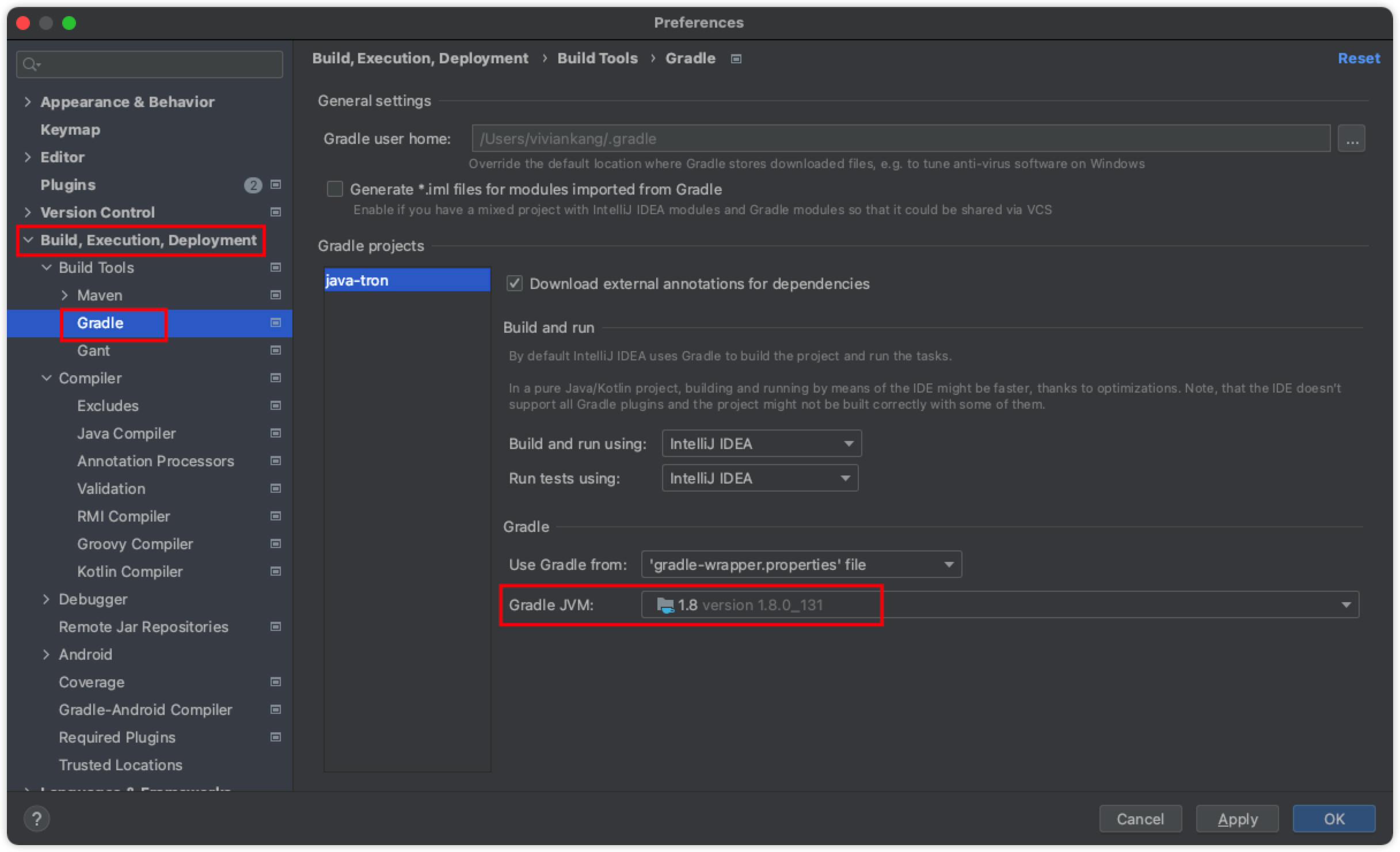
| ### 步骤 3:验证并统一 JDK 版本 | ||
| 为确保项目能够正确编译和运行,必须在 IntelliJ IDEA 的两个关键位置都将 JDK 版本设置为 Oracle JDK 1.8。 | ||
| 为确保项目能够正确编译和运行,必须在 IntelliJ IDEA 的两个关键位置都将 JDK 版本设置为 Oracle JDK 8。 |
Contributor
There was a problem hiding this comment.
要不查一下这个文档里面?有一些之前的内容也保留着jdk8的叙述

vivian1912
reviewed
Dec 12, 2025
|  | ||
|
|
||
| > **重要提示**: **Project SDK** 和 **Gradle JVM** 这两个设置必须完全一致,且都指向 Oracle JDK 1.8,否则可能会在构建过程中遇到意外错误。 | ||
| > **重要提示**: **Project SDK** 和 **Gradle JVM** 这两个设置必须完全一致,且都指向 Oracle JDK 8,否则可能会在构建过程中遇到意外错误。 |
Contributor

There was a problem hiding this comment.
由于图中仍然是JDK 1.8,要不要加一个说明? 图中的1.8就是JDK8
Contributor
Author
There was a problem hiding this comment.
好的。另外解释下为什么x86上从JDK 1.8改成JDK8了,因为arm是JDK 17 , 所以针对JDK做了一下命名规范。
Sign up for free
to join this conversation on GitHub.
Already have an account?
Sign in to comment
4 participants


Add this suggestion to a batch that can be applied as a single commit.
This suggestion is invalid because no changes were made to the code.
Suggestions cannot be applied while the pull request is closed.
Suggestions cannot be applied while viewing a subset of changes.
Only one suggestion per line can be applied in a batch.
Add this suggestion to a batch that can be applied as a single commit.
Applying suggestions on deleted lines is not supported.
You must change the existing code in this line in order to create a valid suggestion.
Outdated suggestions cannot be applied.
This suggestion has been applied or marked resolved.
Suggestions cannot be applied from pending reviews.
Suggestions cannot be applied on multi-line comments.
Suggestions cannot be applied while the pull request is queued to merge.
Suggestion cannot be applied right now. Please check back later.
No description provided.