Quickstart

This guide will help you get started using MCS (MechControlScript).
MCS conceptualizes how legs work into "leg groups", where leg groups contain left and right legs.
These leg groups all have a number, or id, to be referenced by, as well as their own configurations.
Specifying block tags is explained in blocks & tags.
Some examples include:
-
HR1+> A right hip in group 1 -
HL+> A left hip in group 1 -
QR-> An inverted right quad in group 1 -
KL2+> A left knee in group 2 -
FR3-> An inverted foot in group 3
These examples will provide you with some basis of how to setup a mech.
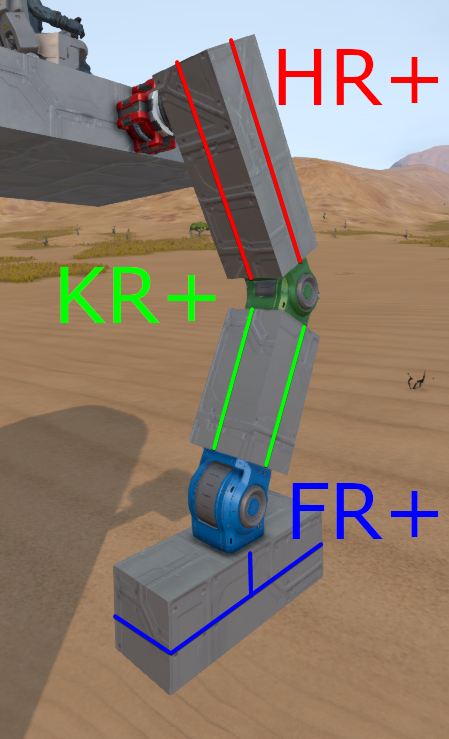
This example shows the tags of a right humanoid leg.
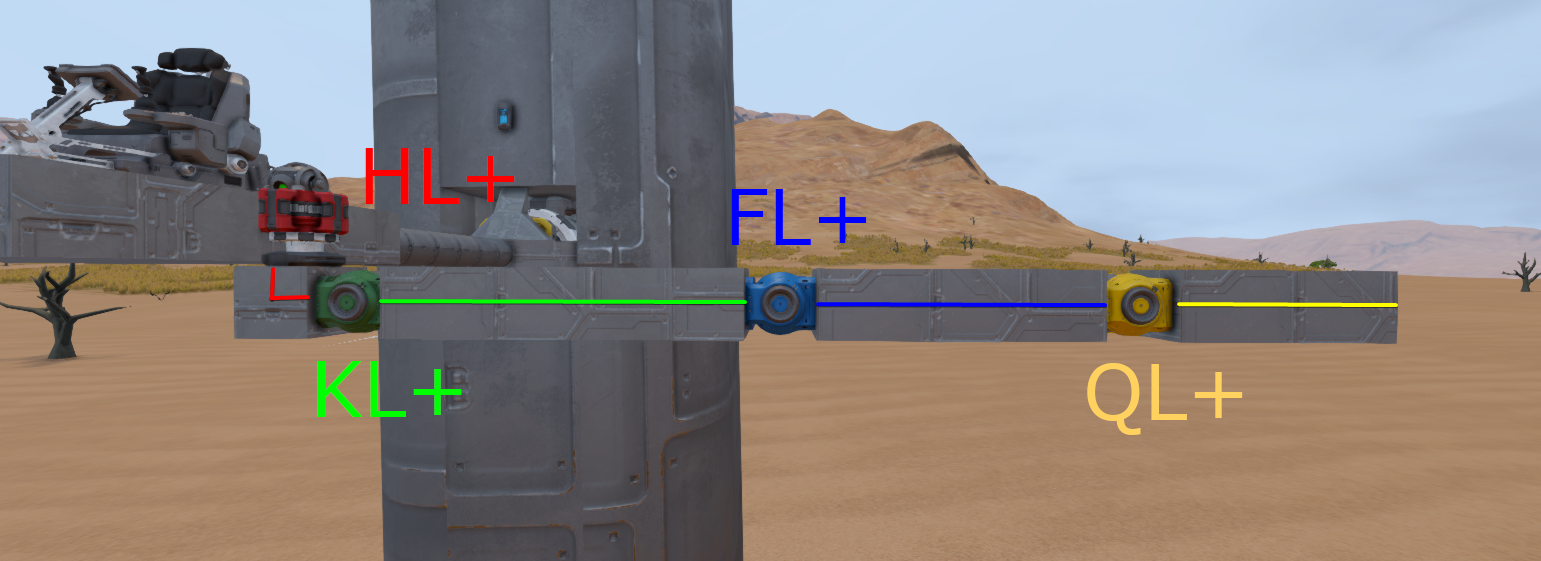
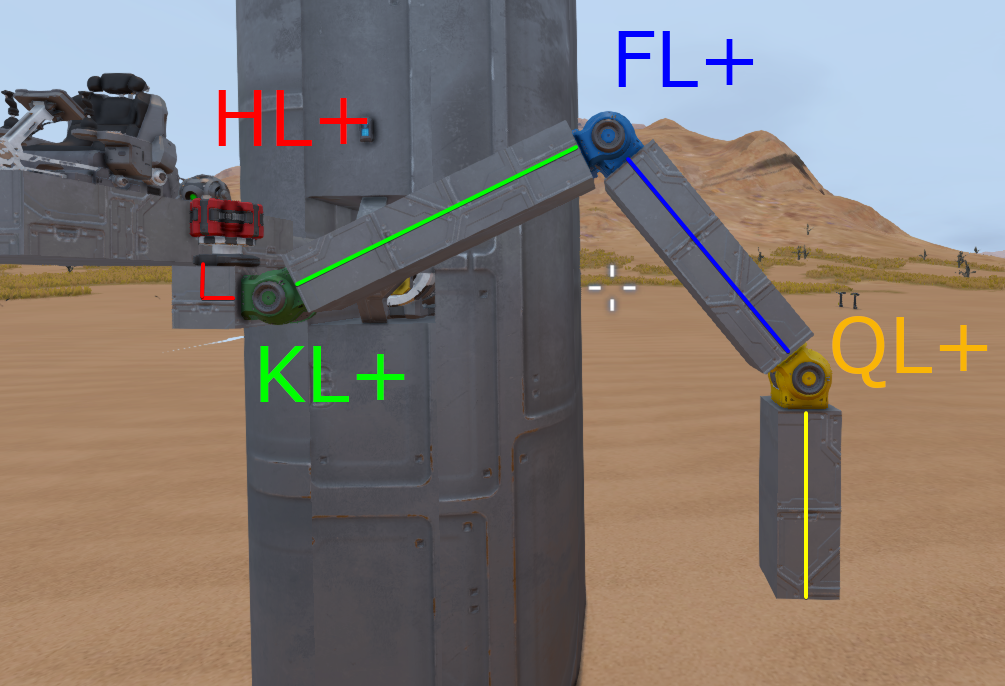
This example shows the tags of a left crab leg.
This section is unfinished, please come back later!